-
 26 June 2026
-
 Reading time: 3 minutes
-
 Victor Domingos
-
 News
News
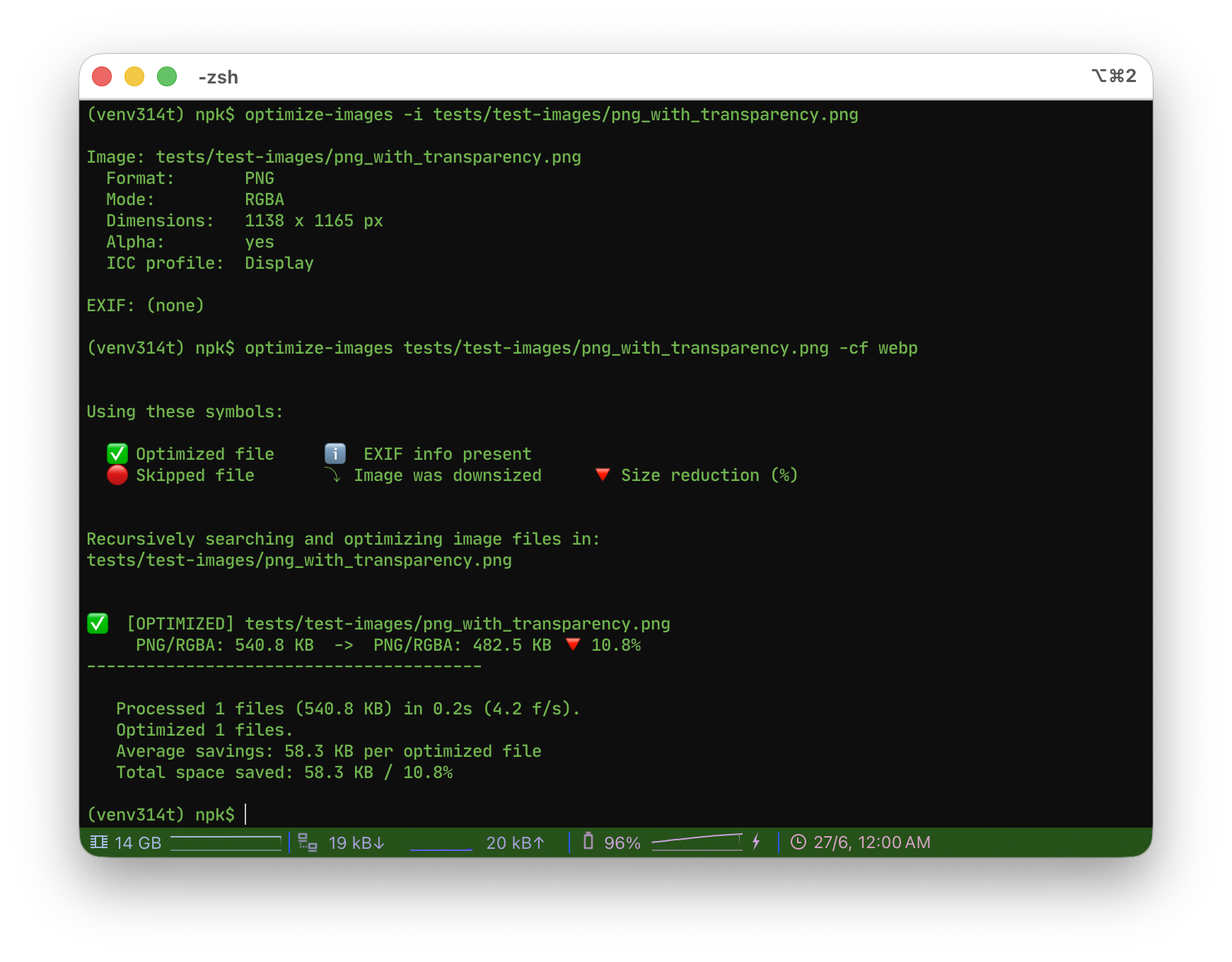
Optimize Images 2.1.0 brings native WebP support, a generalized format-conversion system, on-demand image inspection with EXIF reporting, and a new in-memory API for working with image bytes directly. It is a focused, fully backwards-compatible step forward for the command-line tool and its public API.
Following the 2.0 release, version 2.1 extends the library with new capabilities while preserving the existing API and command-line behavior. All additions are fully backwards compatible, so existing scripts and integrations continue to work unchanged. The full list of changes is below.
It also adds on-demand image inspection with EXIF reporting, and a new in-memory API that works directly on image bytes, making the library easier to embed in web apps and content management systems.
The full list of changes is below.
Optimize Images v.2.1.0 - 2026-06-26
- Added WebP support: existing WebP files are now optimized in place, just like PNG and JPEG. Animated WebP files are left untouched.
- New WebP encoding options: -wq (quality), -wl/—webp-lossless, and -wm (method / compression effort).
- Format conversion was generalized. The new -cf/—convert-to FORMAT option chooses the output format; the available targets depend on the codecs compiled into the Pillow build in use (typically jpeg, png, webp, avif and jpeg2000). The default target remains JPEG, so existing behaviour is kept unless the option is used.
- -ca/—convert-all now converts images of any source format (not only PNG) to the chosen target. -cb/—convert-big stays specific to big photographic PNGs.
- Conversion now honours the size comparison just like in-place optimization: the converted file is kept only when it actually turns out smaller, unless the comparison is disabled with -nc. (Previously, converting forced the write regardless of size.)
- New image inspection: inspect_image(path) returns an ImageMetadata object with the image’s intrinsic properties (format, mode, dimensions, alpha, palette size, progressive/interlaced flags, frame count, DPI, ICC profile presence and description, and EXIF). EXIF comes grouped by its standardized IFD sections - image (main IFD), camera (Exif sub-IFD) and gps - with raw values. A companion helper, format_exif(), optionally renders those values for display using standardized EXIF semantics (units like f/1.8 and 50 mm, enumerations like Orientation, and combined GPS coordinates). A new -i/—info CLI option prints this report for a single image and exits; it must be used on its own, with only the image path.
- Public API (backwards compatible): optimize_single_image() gained keyword-only arguments convert_to, webp_quality, webp_lossless and webp_method, all with defaults; PublicBatchOptions gained the matching fields. New discovery helpers - available_input_formats(), available_output_formats() and format_capabilities() - report what the running Pillow build can read, write and convert to, so third-party apps can populate their own menus. PublicTaskResult is unchanged.
- Public API: new optimize_image_data(data) optimizes an image given as bytes and returns the optimized bytes plus a PublicTaskResult, for callers that hold images as binary data rather than files (CMS, object storage, databases) and cannot provide a file path. It keeps the original format and reuses the same per-format processing as the file-based optimizer, so the behaviour (resizing, transparency, EXIF, dynamic quality and the size comparison) is identical; format conversion is out of scope for this entry point.
- Public API: new convert_image_data(data, to=…) is the in-memory counterpart of format conversion: it converts image bytes to another available format (e.g. PNG to WebP) and returns the converted bytes plus the resulting format, reusing the same converter as the file-based workflow. As with the file conversion, the result is kept only when it is actually smaller (unless the comparison is disabled); converting to the source format just optimizes it (no conversion); multi-frame sources are left unchanged.
- UPGRADE NOTE: because WebP is now a supported format, running this tool on a folder will also re-encode any WebP files it finds (destructively, in place), where previously those files were ignored. Note also the conversion size-comparison change described above. As always, keep a backup of the originals before processing.
Get it now!
Just pip install optimize-images, following the instructions in the docs (Optimize Images).
You may also be interested:
|
Just updated - Optimize Images v2.2.0 |
|
Just updated - both Optimize Images and Optimize Images X |

|
Just updated - both Optimize Images and Optimize Images X |
Recently
|
Just updated - Optimize Images v2.2.0 |
|
npk-bar: a Claude Code mod for context, limits and progress |
|
Optimize Images X adds internationalization |