-
 07 July 2026
-
 Reading time: 3 minutes
-
 Victor Domingos
-
 News
News
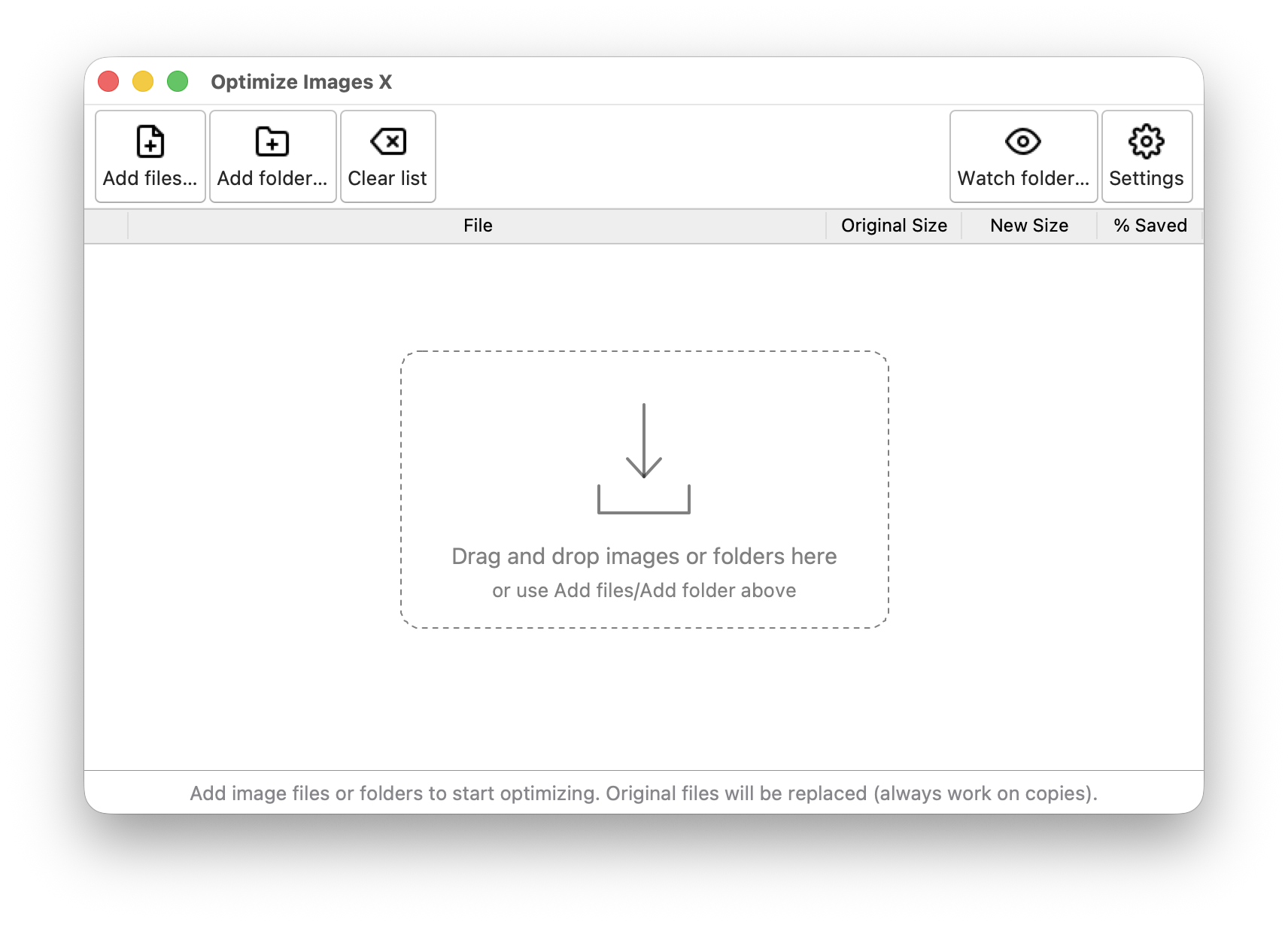
Optimize Images X, the multi-platform desktop application that helps you reduce the file size of your images on macOS, Windows and Linux, has just been updated to version 2.1.0. This new version adds drag-and-drop, conversion to more output formats, including WebP and AVIF, a new image info window with a readable EXIF report, and a PyInstaller spec file for building standalone executables.
You can now drag image files or folders from your file manager straight onto the application window (this requires the optional TkinterDnD2 package; without it, everything keeps working as before).
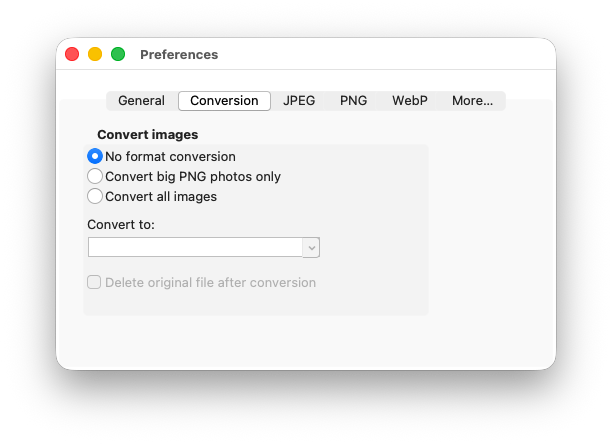
A new “Conversion” tab allows converting images to any output format available in your Pillow build — typically JPEG, PNG, WebP, AVIF and JPEG 2000 — and, as usual, the converted file is only kept when it turns out smaller than the original. This feature already existed but has been expanded in this version to support formats other than PNG to JPEG.
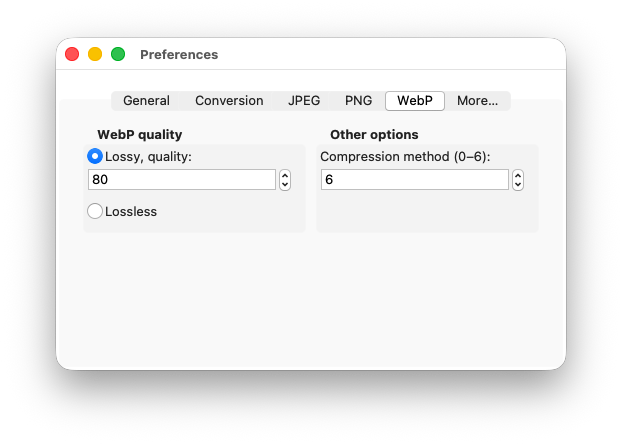
By popular request, WebP files are now fully supported, with a dedicated settings tab.
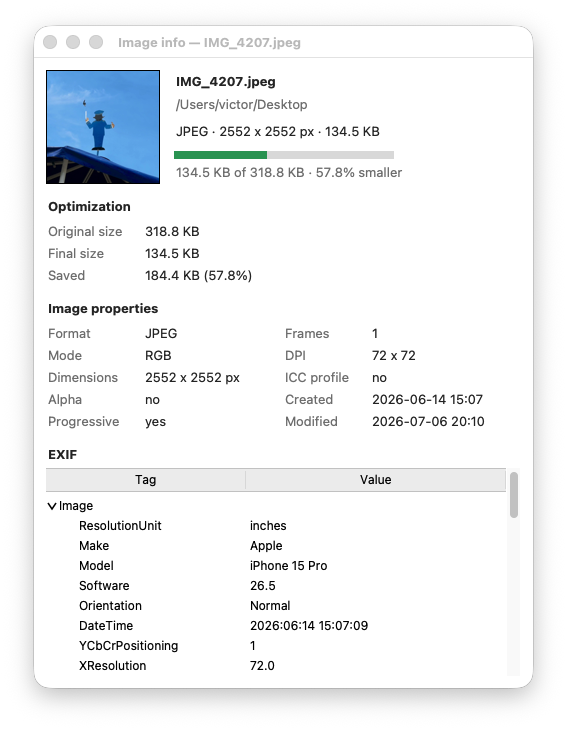
There is also a new image info window: select an image and press Cmd-I (Ctrl-I on other systems) to see its properties, the optimization results and its EXIF metadata.
And for those who prefer a self-contained application over a Python environment, this release includes a spec file for building a standalone executable for macOS with PyInstaller. In future versions this could be implemented for other operating systems.
Here is the complete changelog for this version:
v.2.1.0 - 2026-07-05
- Drag-and-drop support for images and folders (requires TkinterDnD2).
- Added a spec file for PyInstaller. Now you can build a standalone executable that packages all the dependencies and the application itself, using PyInstaller (yay!). Tested on macOS.
- Added support for WEBP (using a more recent optimize-images version).
- Generalized format conversion: a new “Conversion” tab converts images to any output format available in the Pillow build in use (typically JPEG, PNG, WebP, AVIF and JPEG2000), with the target chosen from a dropdown populated dynamically from the engine. The converted file is kept only when it is actually smaller, unless the size comparison is disabled.
- Supported input and output formats are now discovered from the engine’s public API, reflecting the codecs actually present in the Pillow build.
- Added a dedicated WebP tab (quality, lossless and compression method) and moved “Keep EXIF” to the General tab, as it applies to more than one format.
- Added tooltips to the settings controls and fixed inconsistent control fonts.
- New image info window: select an image and press Cmd-I (Ctrl-I on other systems), or use the File menu, to open a non-modal window with the image’s properties, the optimization results (size before and after, and space saved) and its EXIF metadata, grouped into Image, Camera and GPS sections with values shown in a readable form (e.g. f/8, 1/250 s, 50 mm). It also reports the colour profile description and the file’s creation and modification dates. One window per image.
- Opening an image now hands the real file to the system’s default viewer instead of a temporary copy, so the original file is shown. Added File menu entries to open the image, to Quick Look it (macOS) and to show image info, plus a Finder-style Cmd-Down shortcut on macOS as an alias of Enter.
- Requires optimize-images >= 2.1.0 (and < 2.2.0).
- Minor fixes and improvements.
Get it now!
Just pip install optimize-images-x (or pip install optimize-images-x[dnd], to include the optional drag-and-drop support), following the instructions in the docs (Optimize Images X).
You may also be interested:
|
Just updated - Optimize Images v2.1.0 |
|
Optimize Images X adds internationalization |
|
Just updated - both Optimize Images and Optimize Images X |
Recently
|
Just updated - Optimize Images v2.2.0 |
|
npk-bar: a Claude Code mod for context, limits and progress |
|
Optimize Images X adds internationalization |