-
 20 August 2026
-
 Reading time: 1 minute
-
 Victor Domingos
-
 News
News
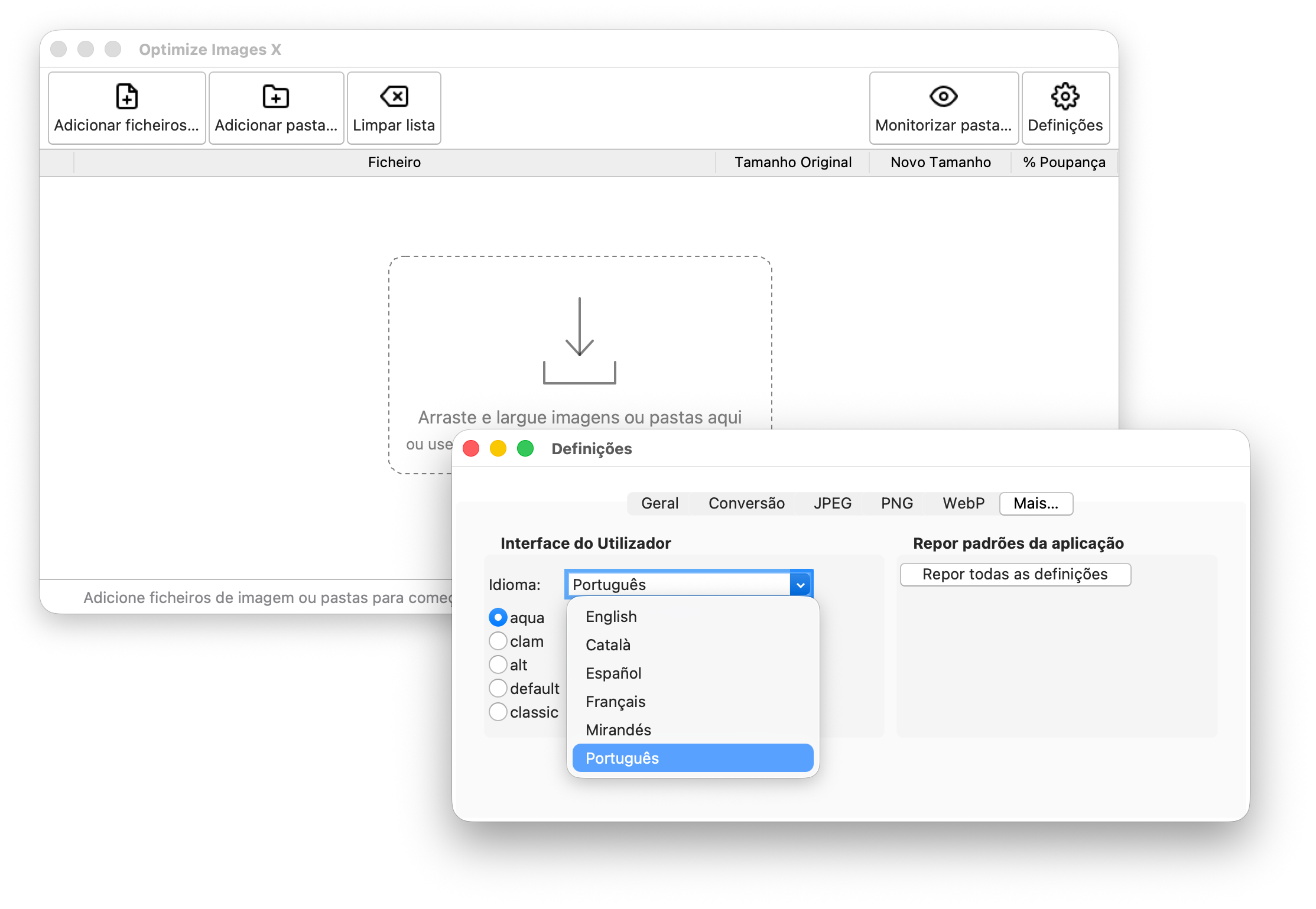
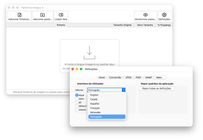
Optimize Images X, the multi-platform desktop application that helps you reduce the file size of your images on macOS, Windows and Linux, has just been updated to version 2.2.0. This new version adds full internationalization support with some initial translations, plus a handful of minor UI adjustments.
Optimize Images X can now be used in languages other than English. A new Language option has been added to the General tab in the settings window, letting you pick your preferred display language. The application will use it immediately.
Initial translations are already in place for a small number of languages. A word of caution: some of them were generated with the help of an AI and then verified by a human, while others are fully human-written. They are all usable, hopefully, but a native speaker’s eye may still catch some incorrections or awkward terms. If you notice anything, or if your language is missing entirely, please feel free to open an issue or submit a pull request with the correct translation. As usual, your contribution is very welcome.
Alongside the i18n work, a few minor UI adjustments were made to keep things tidy as the interface grew.
Here is the complete changelog for this version:
v.2.2.0 - 2026-08-20
- Added internationalization support, language settings, and translations (some translations are still AI-generated, with some human verification - please feel free to review the existing ones or to add your own!).
- Minor UI adjustments.
Get it now!
Just pip install optimize-images-x (or pip install optimize-images-x[dnd], to include the optional drag-and-drop support), following the instructions in the docs (Optimize Images X).
You may also be interested:
|
Optimize Images X now supports Webp and drag and drop |
|
Just updated - both Optimize Images and Optimize Images X |

|
Just updated - both Optimize Images and Optimize Images X |
Recently
|
npk-bar: a Claude Code mod for context, limits and progress |
|
Optimize Images X adds internationalization |
|
Optimize Images X now supports Webp and drag and drop |